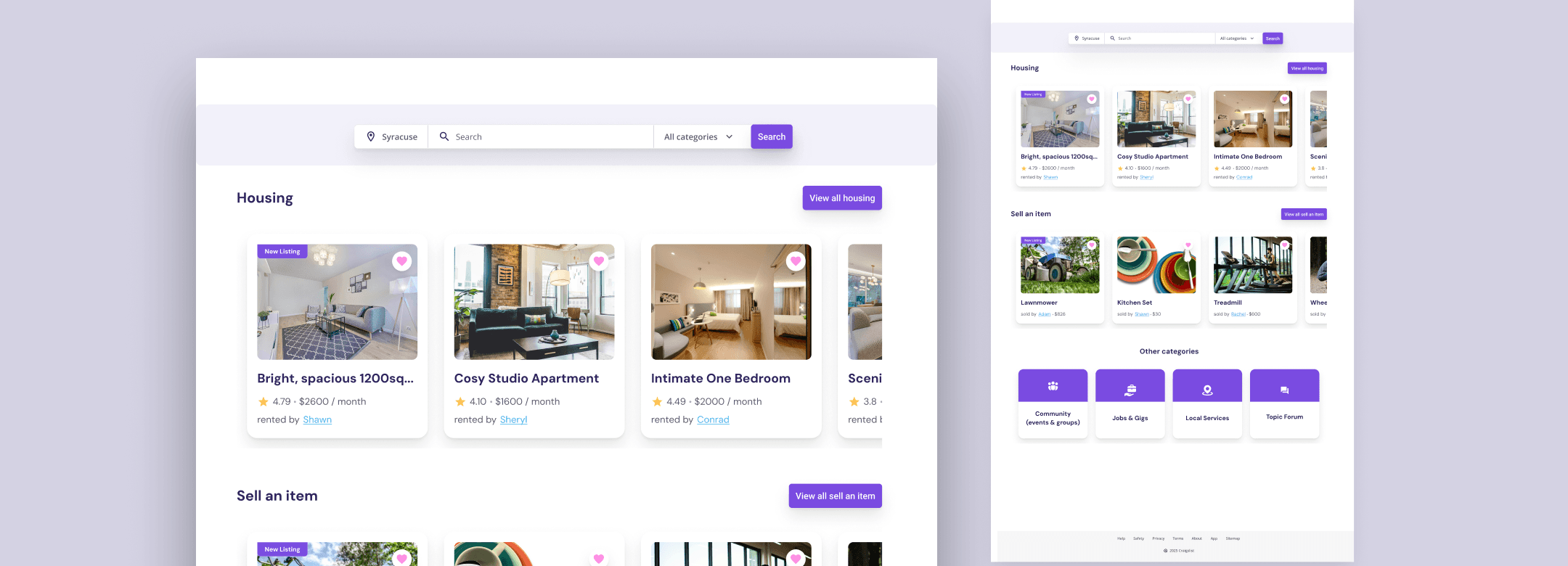
Craigslist is a widely used classifieds platform that has kept the same design since 1995.
Craigslist is a widely used classifieds platform for finding housing, jobs, services, items for sale, community events, and more. While the platform remains popular, its interface and browsing experience have changed very little since its launch.
Role
UX/UI Designer
Year
2025
Responsabilities
User research, heuristic evaluation, wireframing, prototyping, usability testing, interaction design, and visual design

Problem
Craigslist’s housing experience presents users with a large amount of information but provides limited hierarchy and guidance. Renters may struggle to compare listings, assess their credibility, and identify important details such as rent, deposits, lease terms, and location.
People creating housing listings may also encounter unclear categories and insufficient guidance, which can result in incomplete or inconsistently structured listings.
The challenge was to improve the clarity, trustworthiness, and usability of Craigslist’s housing experience while maintaining the simplicity that existing users recognize.
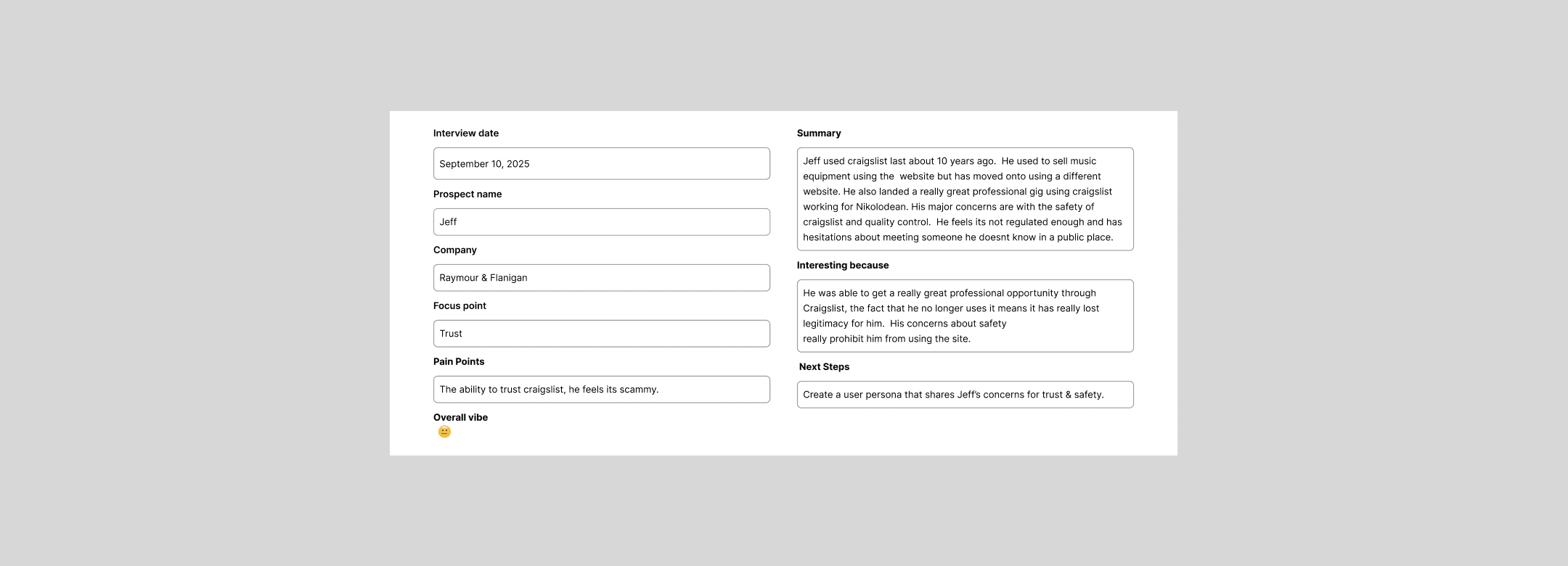
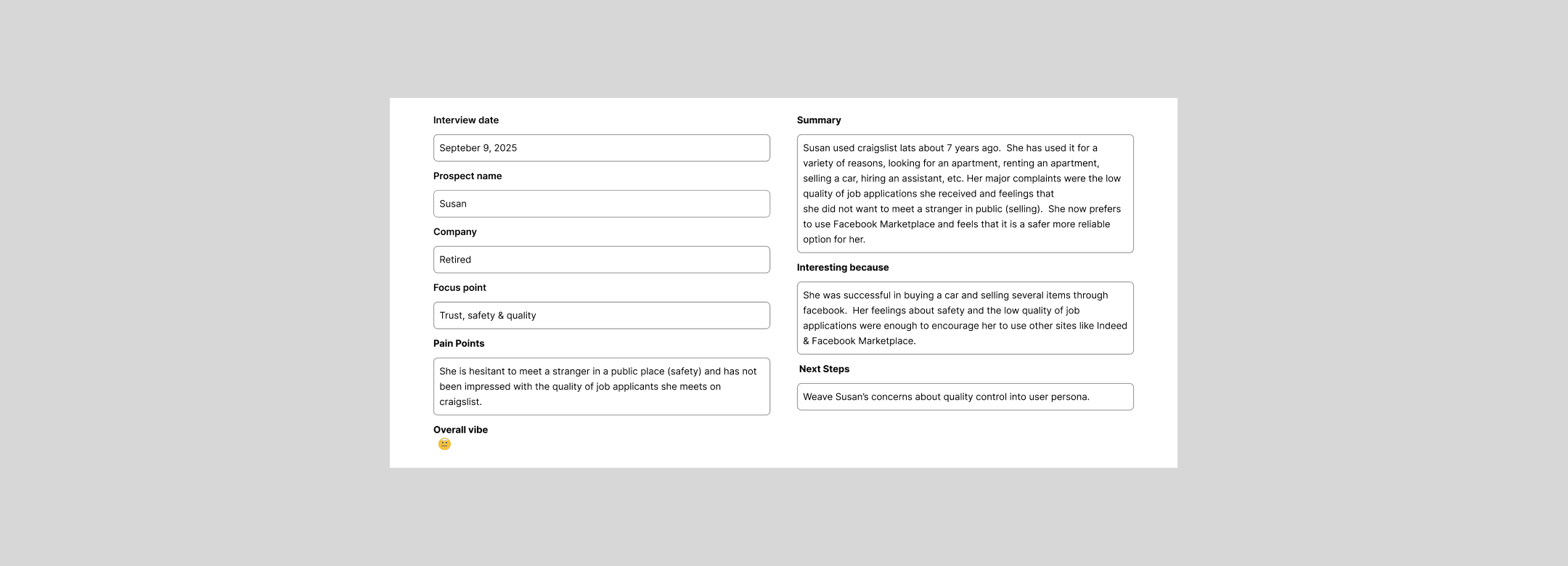
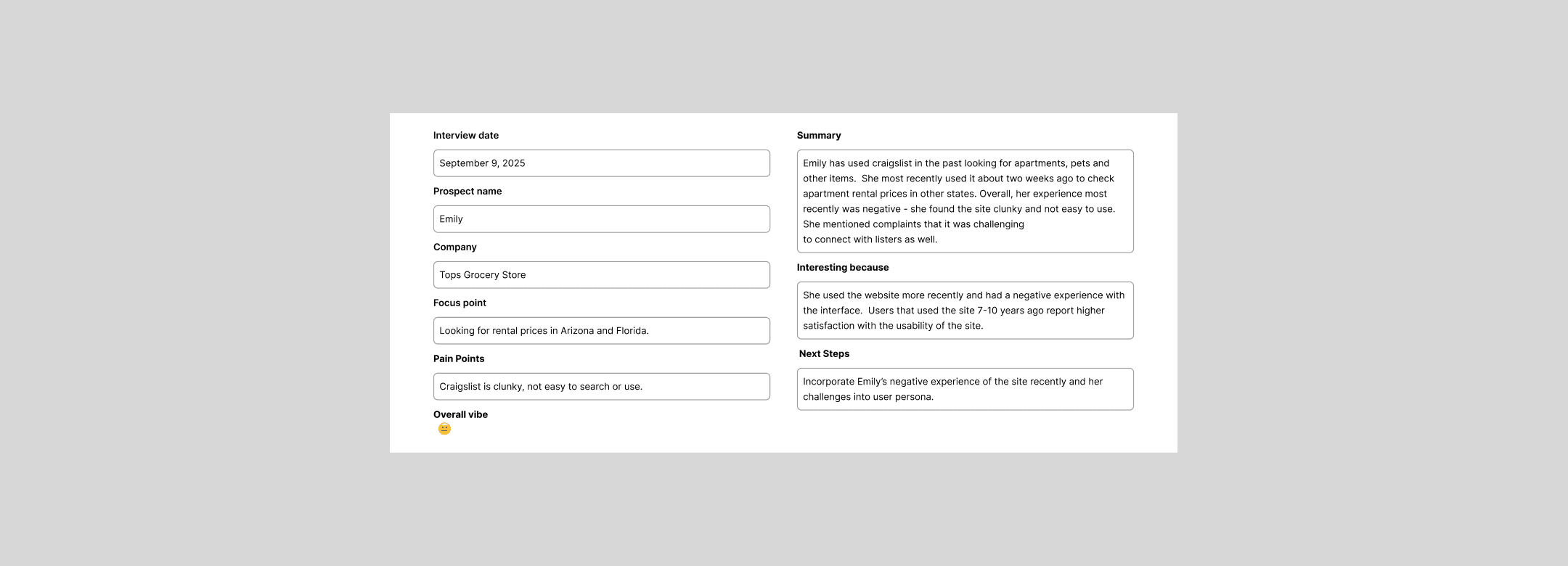
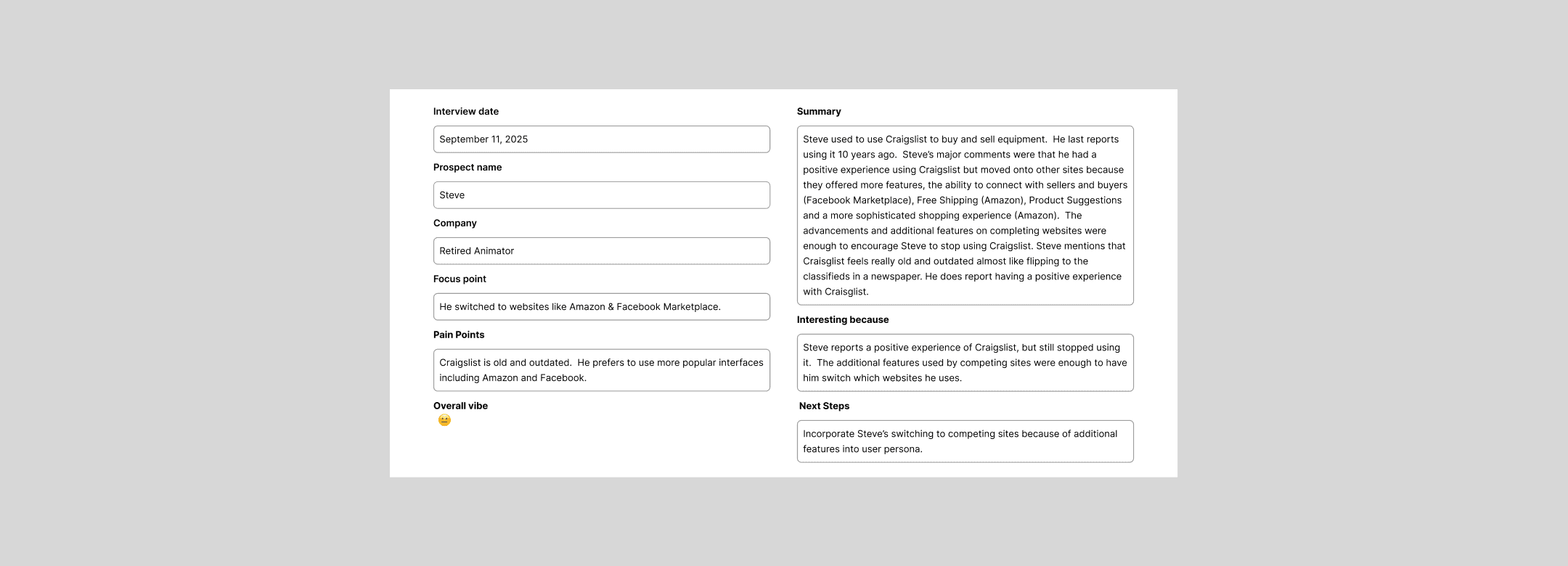
Interview notes
Research
I began by identifying the primary usability challenges within Craigslist’s housing experience. My research included a heuristic evaluation, competitive analysis, and remote interviews with five participants who had previous experience browsing or posting listings on Craigslist.
The interviews focused on how participants searched for housing, evaluated the credibility of listings, compared properties, and navigated the listing-creation process.
Participants consistently described difficulties with scanning listings, locating important information, understanding categories, and determining whether listings were trustworthy.
Personas
I synthesized the interview findings into personas and empathy maps representing the two primary user groups: renters searching for housing and landlords or property owners creating listings.
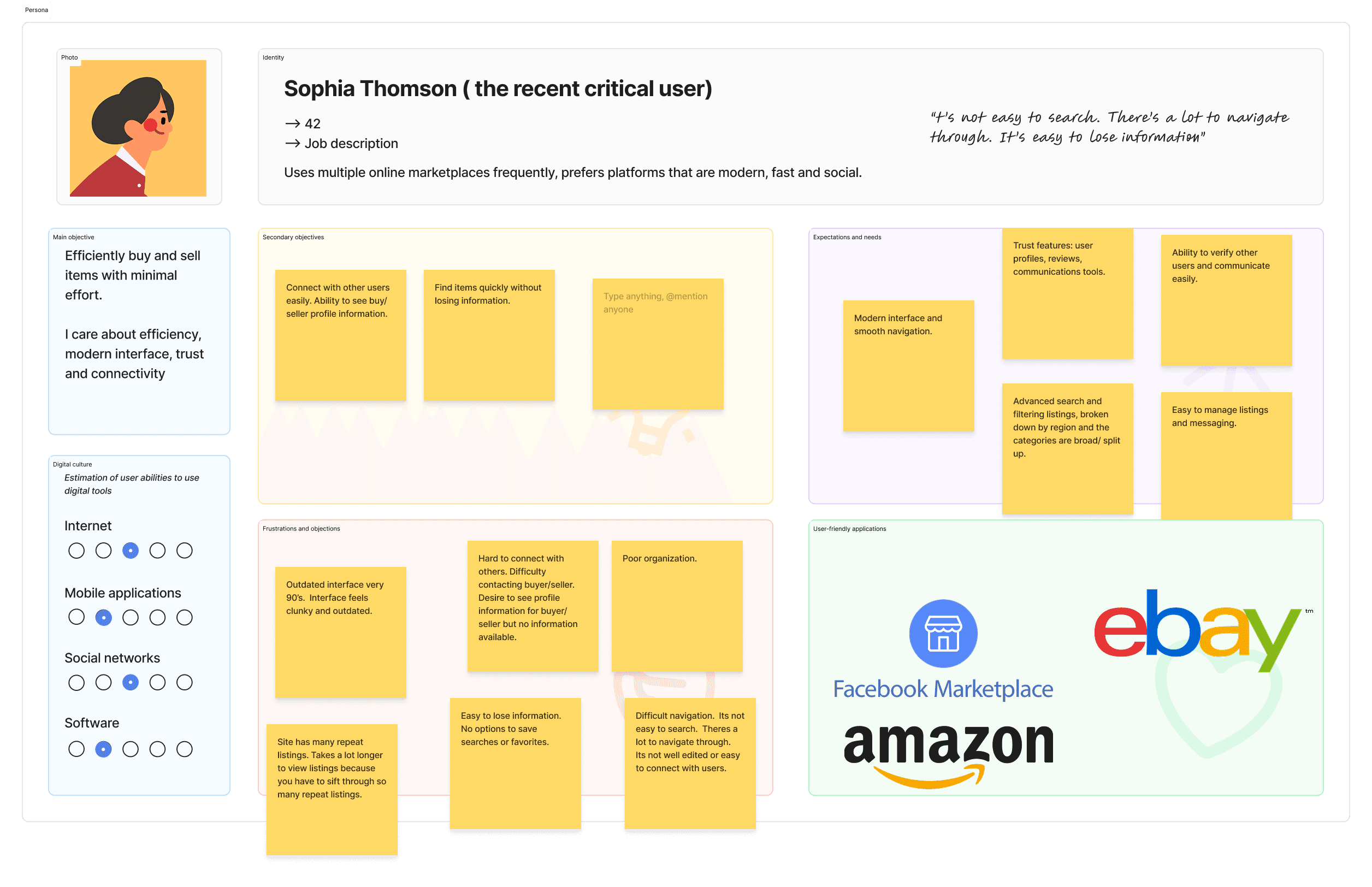
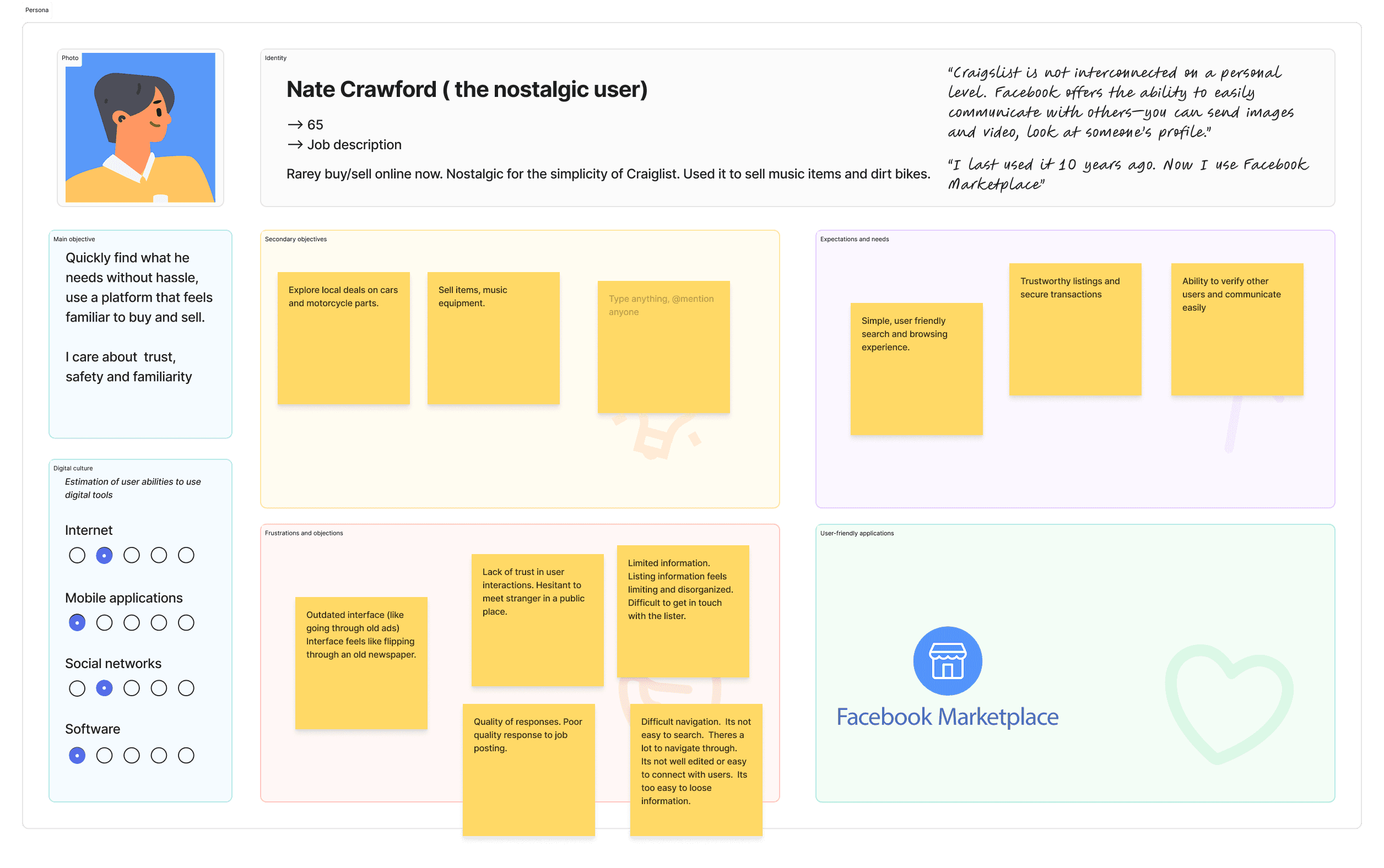
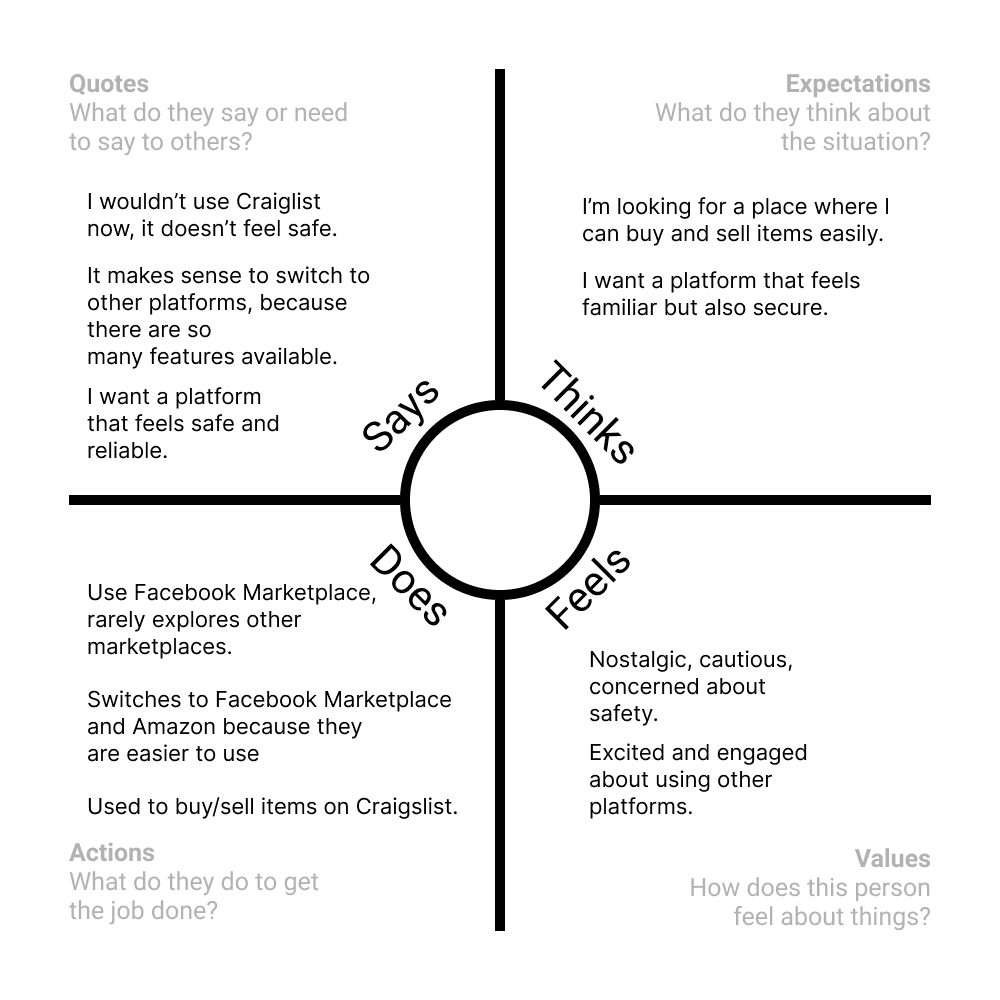
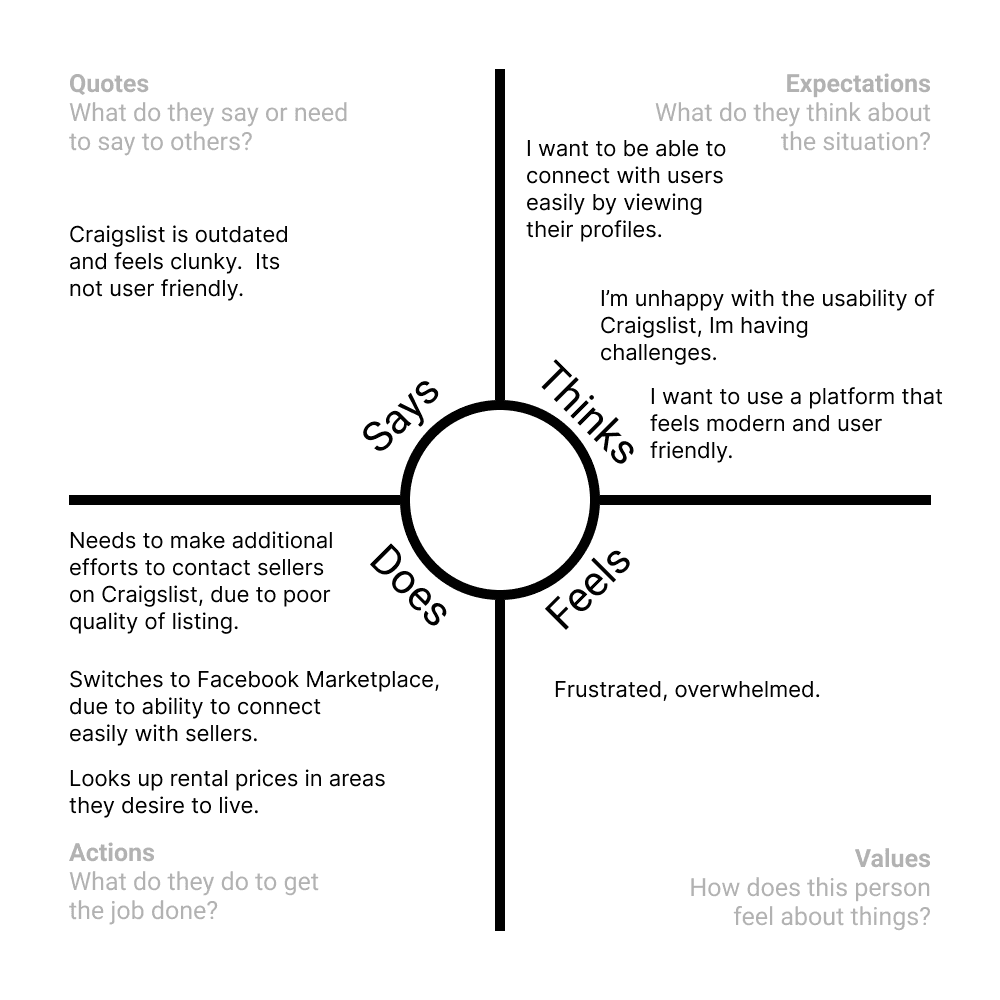
Personas and empathy maps
Usability Issues
These are the usability issues identified during research:
Information & Layout
Excessive information displayed at once, creating cognitive overload
Insufficient white space, causing content and components to feel cluttered
Poor content hierarchy makes it difficult to scan or find key actions
Navigation & Discoverability
Navigation is not intuitive or clearly structured
Calls to action are difficult to recognize or distinguish
Users struggle to quickly understand where to go or what to do next
Visual Design & Trust
Outdated visual design with low visual appeal
Inconsistent UI elements reduce perceived credibility
Footer lacks structure and does not effectively support navigation or trust signals
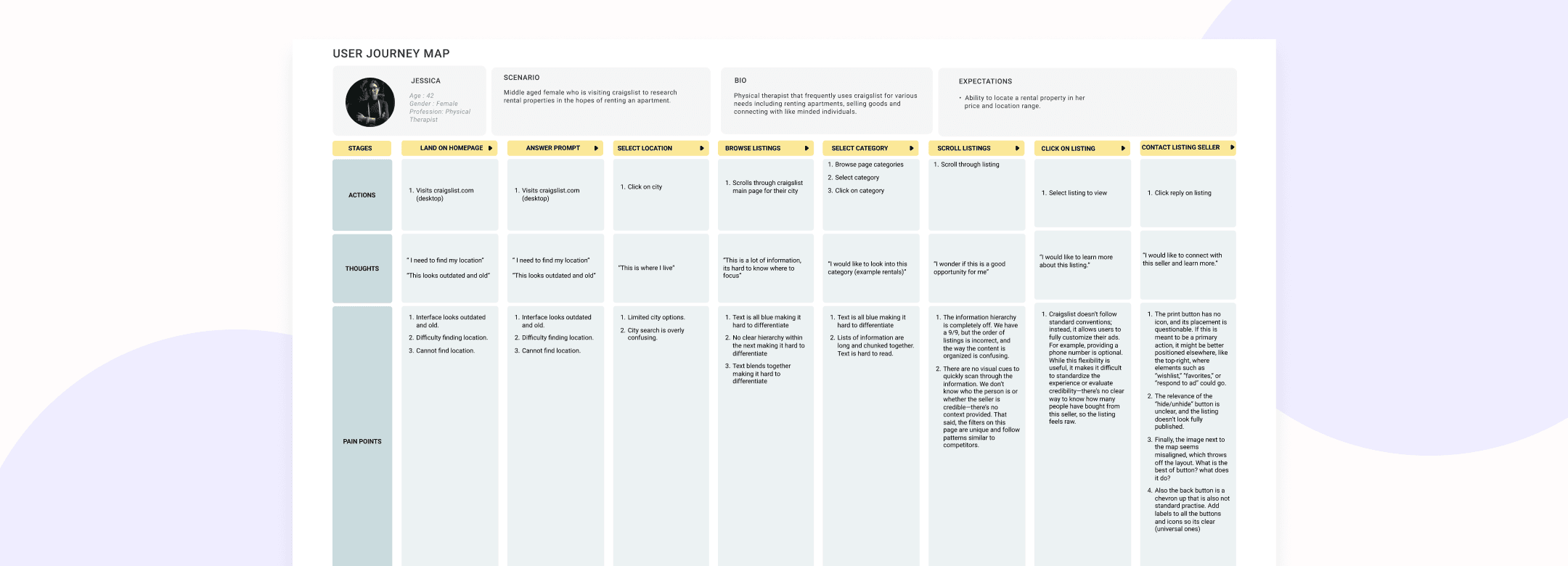
User journey map view it here.
Competitive Research
Following the interviews, I reviewed comparable marketplace and housing platforms to understand how they organize listings, communicate trust, support filtering, and guide users through posting flows.
The analysis helped identify familiar interaction patterns and opportunities to improve Craigslist without introducing unnecessary complexity.
Competitors I looked at view the analysis here.
Goal
Based on the research findings, the redesign focused on five goals:
Make housing listings easier to scan and compare.
Surface essential rental information earlier.
Improve trust through clearer listing details and contact information.
Reduce uncertainty during the listing-creation process.
Create a clearer and more consistent navigation experience.
The redesign focused specifically on Craigslist’s housing experience rather than attempting to redesign the entire platform.
Ideation & Design
The early wireframes focused on streamlining the browsing experience and presenting essential information earlier in the journey.
For renters, I explored clearer listing cards, stronger information hierarchy, and flexible filtering options. For landlords, I explored task-based guidance, clearer category selection, and better grouping of related form fields.
The goal was to help users understand what information mattered, identify their next action, and complete common tasks with less uncertainty.
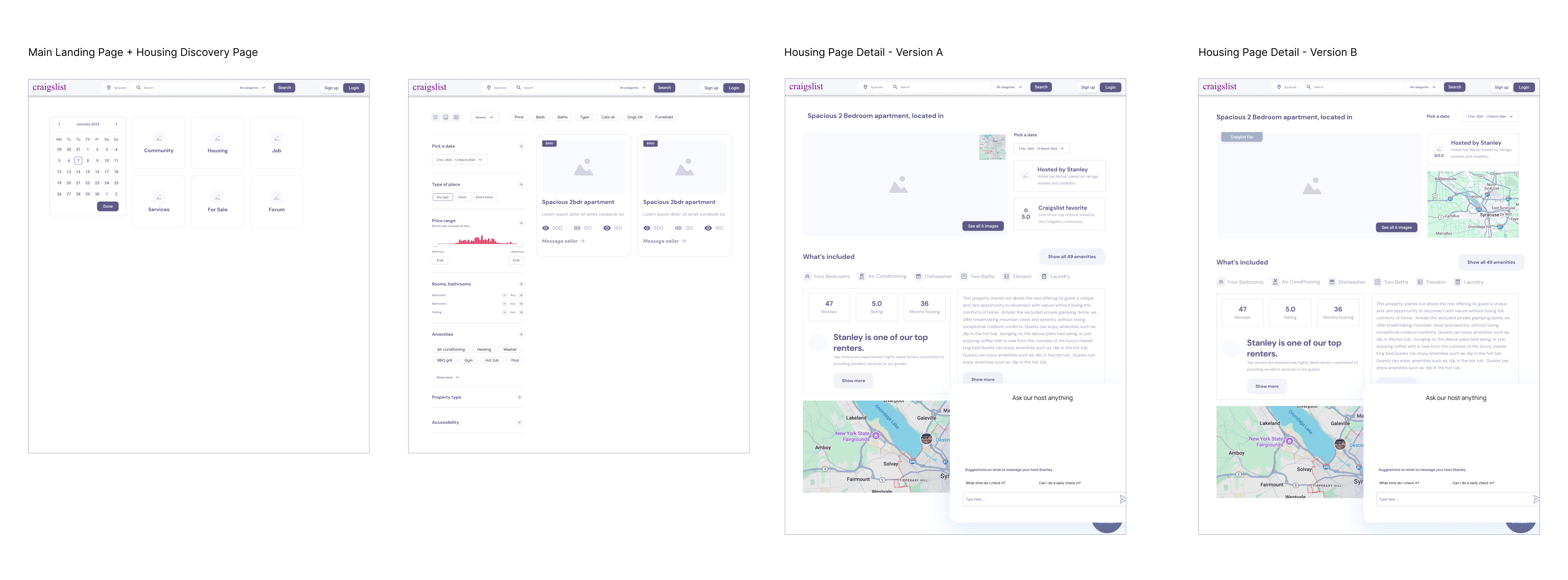
Landlord Listing Flow - These wireframes explore the process of selecting a housing category, entering property details, and publishing a rental listing.
Landlord Listing Usability Testing Results
Participants were asked to create a housing listing and explain what information they expected to provide at each stage. Several recurring themes emerged.
Missing Listing Details
Monthly rent and additional fees
Security and pet deposits
Maximum number of occupants
Lease terms and availability dates
Income-verification or credit-check expectations
Floor plans or additional property images
Nearby amenities and neighborhood information
Location & Verification
Clear guidance around verification steps
Address and zip code fields to be clearly surfaced
Optional credit or background checks to set expectations upfront
Information Structure
Related fields to be grouped together
Clearer visual hierarchy between sections
Consistent formatting throughout the flow
Less clutter and fewer competing elements
Important requirements to be explained before submission
Category Flow
Participants were sometimes uncertain about which category applied to their listing, particularly when choosing between homes, rooms, sublets, and community-related categories.
To provide greater context, the revised flow introduced task-oriented headings such as:
“You are posting a home for rent.”
Participants preferred Version A
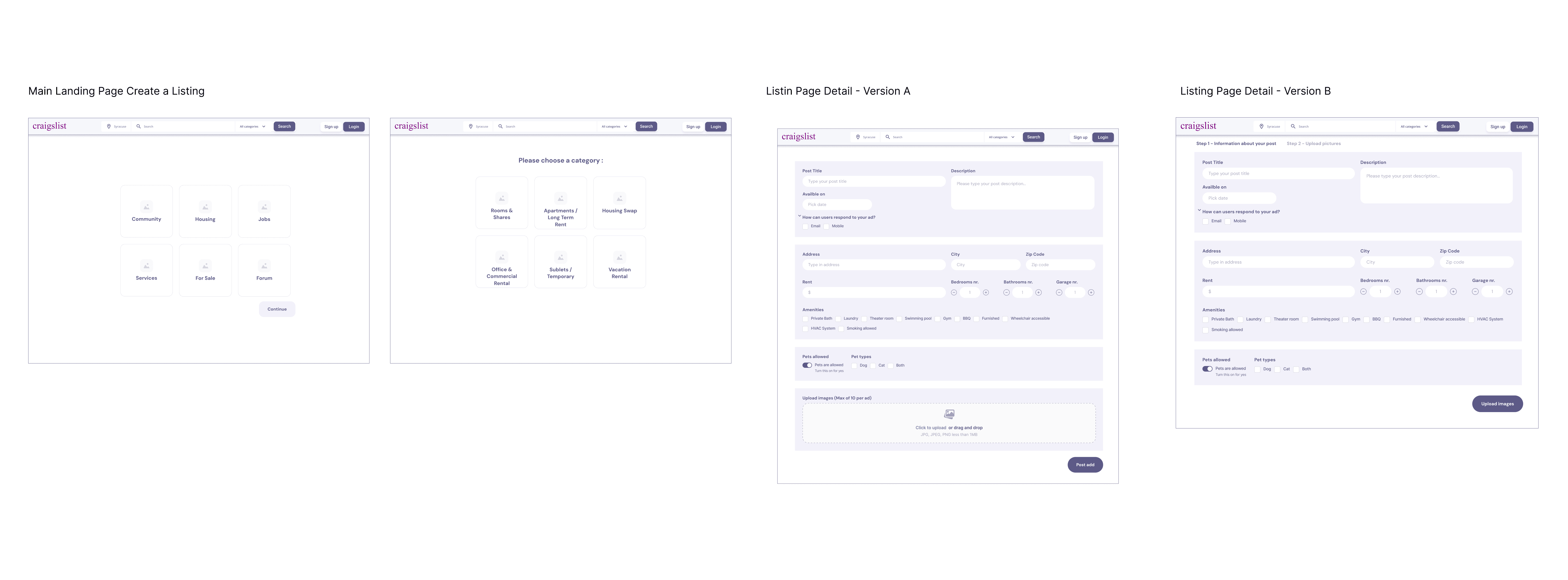
Renter Flow - Wireframes exploring the end-to-end flow for creating a listing.
Renter Flow Usability Testing Results
Participants were asked to search for housing, review a property listing, and identify how they would contact the landlord. While participants had different levels of familiarity with Craigslist, several recurring needs emerged.
Property Information
Participants expected listings to clearly display:
Real and recent property photographs
Monthly rent and additional costs
Address or approximate location
Square footage
Lease terms and availability
Deposits and pet policies
In-unit or shared amenities
Transit options and nearby services
Visibility & Layout Improvements
Participants wanted:
Important information positioned higher on the page
A more prominent address and map
Stronger font and content hierarchy
Better use of space around essential information
Consistent formatting across listings
Trust & Context Enhancements
Additional surrounding-area information (transit, nearby amenities, neighborhood context)
The ability to save or favorite listings for later
Ratings or reviews for properties
Contact the Landlord
Participants wanted:
A highly visible primary contact action
Clear language such as “Contact Landlord”
The option to request or schedule a tour
A persistent contact action that remains available while scrolling
Participants preferred Version B
Search Component
To support consistency and scalability across the platform, I defined autocomplete search as a reusable component. The documentation covers interaction behavior, keyboard navigation, matching logic, selection states, empty states, and failure scenarios. It provides a shared reference for design and development and helps ensure that the implemented behavior remains consistent with the intended user experience
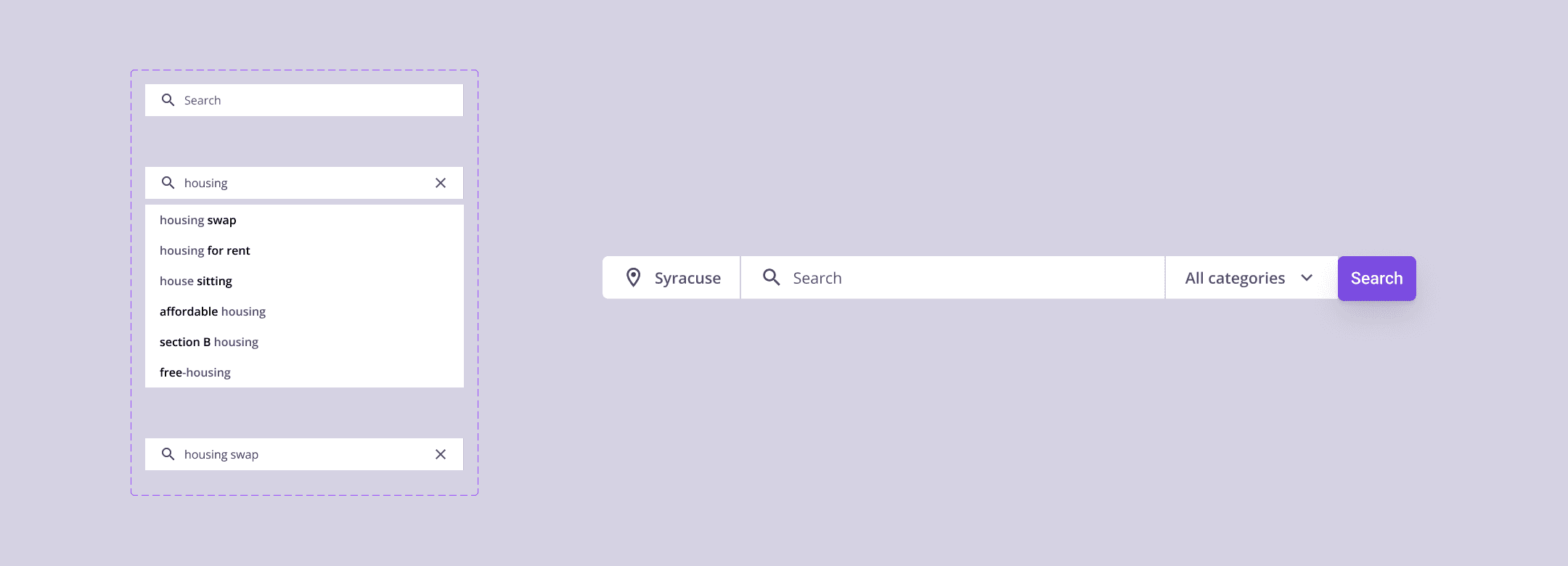
View search prototype here.
Search Componant
Basic Interaction Behaviour
Suggestions update as the user enters a query.
Clicking a suggestion selects it and directs the user to the corresponding results page.
Users can navigate suggestions using the Up and Down arrow keys.
The currently focused suggestion is visually highlighted.
Pressing Enter selects the highlighted suggestion.
Pressing Escape closes the suggestions menu.
Clicking outside the search field closes the suggestions menu while preserving the user’s query.
After Selecting a Suggestion
When the user selects a suggestion:
The selected value appears in the search field.
The suggestions menu closes.
The user is directed to the relevant results page.
When no suggestion is highlighted, pressing Enter submits the user’s typed query and opens the general search-results page.
Empty and Error States
If a query returns no results, the user is directed to a results page with a clear empty state and suggestions for modifying the search.
If the request fails, the user remains on the current page and receives a clear error message with an option to try again.
If no autocomplete suggestions are available, the typed query remains visible and can still be submitted.
Categories
The default search category is All Categories. Users can narrow the search by selecting a specific category.
Matching Logic
Suggestions are prioritized using the following order:
Exact matches
Prefix matches that begin with the entered term
Partial matches containing the entered term
Popularity, used when multiple results have similar relevance
Final High-Fidelity
Following usability testing, I refined both the renter and landlord flows.
For the landlord flow, related form fields were regrouped and clearer contextual guidance was introduced to reduce uncertainty during listing creation.
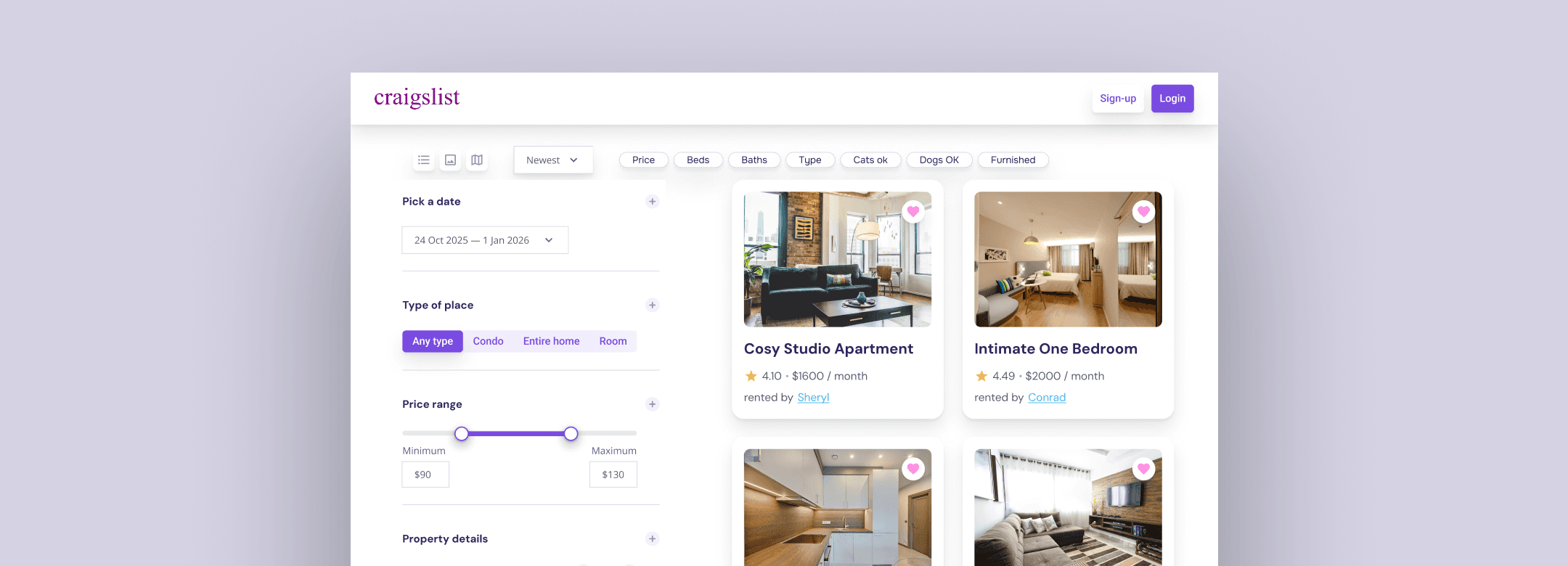
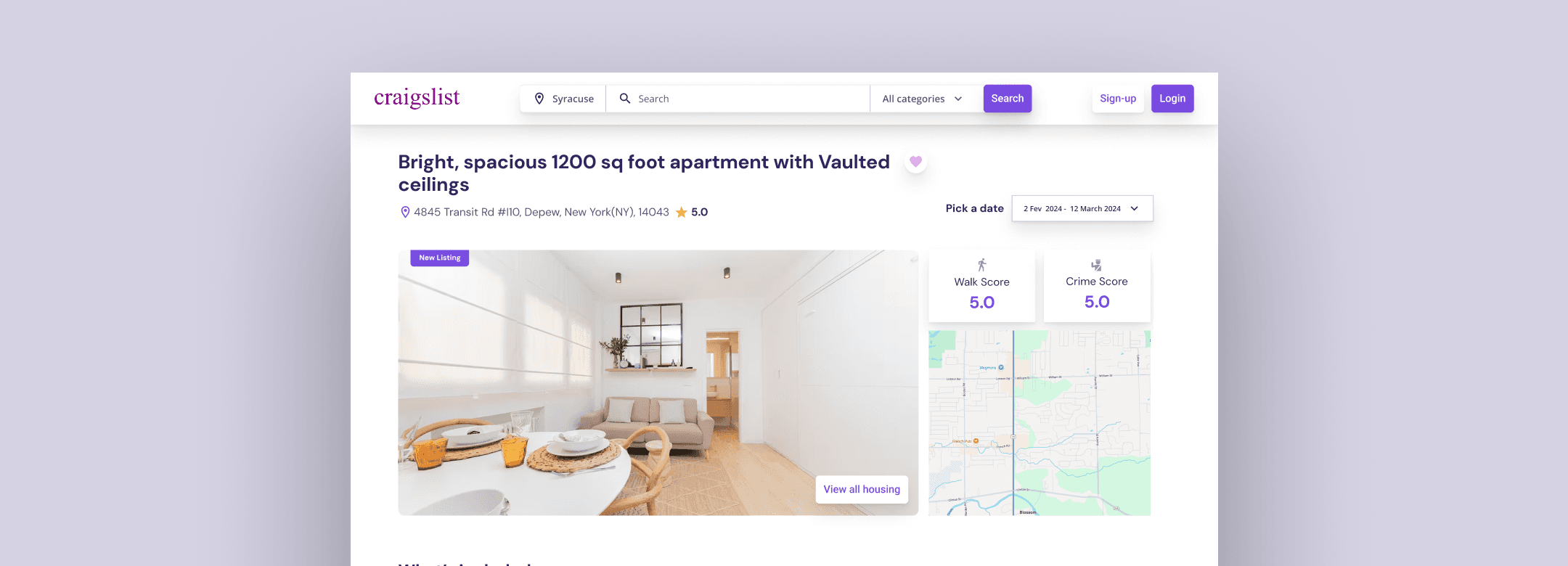
For the renter flow, important property information was moved higher on the page, listing details were organized into clearer groups, and the primary contact action was made more prominent.
Nate's Persona Flow

Sophia's Persona Flow

Sophia's Persona Flow
Final Prototype
The final mobile prototype demonstrates the two primary experiences:
The renter flow, from searching for housing to reviewing a listing and contacting a landlord
The landlord flow, from selecting a category to entering property details and publishing a listing
Renter Experience Prototype (Left) | Landlord Experience Prototype (Right)
Final UI
For renters, the final interface includes a search-focused homepage, a housing landing page, search and filtering tools, and a detailed property page with a prominent contact action.
For landlords, the final interface includes clearer category selection, contextual guidance, grouped property fields, and a structured listing-preview experience.
View Figma file here.